
AdBlue Injector Fault Symptoms: Causes, Warning Signs and Solutions
An AdBlue injector fault is one of the more common reasons a diesel car or van starts showing AdBlue warnings. The injector, sometimes called the doser, sprays a measured amount of AdBlue into the exhaust so the SCR (Selective Catalytic Reduction) system can cut NOx emissions. When the injector is not spraying correctly, the engine management system detects the mismatch and records a fault.
This guide explains the usual symptoms, what causes the injector to fail, and the sensible steps to take before replacing any parts.
Common symptoms of an AdBlue injector fault
- An AdBlue or “check AdBlue” warning on the dashboard
- An engine management light that comes on and stays on
- A countdown message such as “no start in 800 miles”
- Warnings that clear after a restart and then come back after a few journeys
- White or crystalline deposits around the injector nozzle or the filler area
- Higher than normal AdBlue consumption
Some of these symptoms overlap with other SCR faults, such as a NOx sensor problem or a blocked filler line. This is why a full diagnostic scan matters more than the warning light alone.
What causes an AdBlue injector to fail
Crystallisation
AdBlue is a urea solution. When it dries out, it forms crystals. These can build up around the injector tip and block the spray pattern. Crystallisation is most likely when the system is run with low AdBlue levels, or after the vehicle has been parked for a long time. For more detail on the process, read our guide on AdBlue crystallisation.
Contaminated or diluted AdBlue
Poor-quality or diluted AdBlue can leave residue in the dosing system. Topping up from an unknown container is a common cause of problems that look like injector faults. Only use AdBlue that meets the ISO 22241 standard.
Electrical and wiring faults
A loose connector, damaged wiring or a fault in the control module can stop the injector receiving the correct signal. These faults can look identical to a blocked injector on a basic code reader.
Age and heat
Like any component in the exhaust area, the injector is exposed to high temperatures and vibration. Over time, seals and internal parts can wear.
Fault codes you may see
Codes relating to the dosing system and SCR efficiency are the most useful starting point. Common examples include codes in the P20xx and P204x ranges. Our guides on the P20EE fault code and the P204F fault code explain what these codes usually mean. The exact code depends on the manufacturer, so always check it against the vehicle’s own diagnostic data.
Step-by-step: what to check before replacing the injector
- Check the AdBlue quality and source. If the tank was topped up with an unknown product, drain and refill with correct fluid.
- Inspect the injector area. Look for white or crystalline deposits around the nozzle and the surrounding pipework. Do not scrape the injector with metal tools.
- Read the codes properly. A basic reader may not show SCR-specific data. A full scan will show live dosing data and freeze frame information.
- Check the wiring and connectors. Look for corrosion, chafing and loose plugs.
- Confirm the fault before parts are fitted. Many AdBlue faults are misdiagnosed, which leads to repeat repairs and unnecessary cost.
When to get the car diagnosed
If the car has started a countdown, get it diagnosed promptly. Delay can make the problem harder and more expensive to fix. A garage with dealer-level tools is the most reliable option. OBD Store also has a guide to the diagnostic process for Mercedes vehicles: Mercedes AdBlue fault fix.
For general information on emissions rules and vehicle checks in the UK, see the Driver and Vehicle Standards Agency (DVSA) website.
Preventing injector problems
- Use only correct, certified AdBlue from a sealed container.
- Avoid letting the AdBlue tank run very low for long periods.
- Keep the filler neck clean and dry.
- Address warnings early rather than waiting for a countdown.
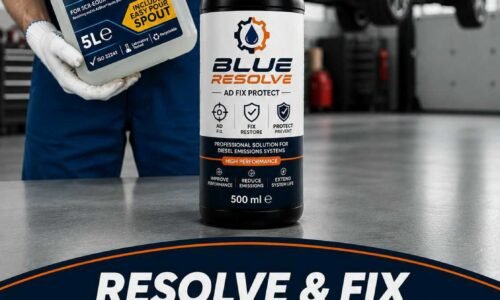
Preventive treatments can help reduce crystal build-up, but they are not a repair. Blue Resolve Ad Fix Protect is designed to help prevent crystal formation in AdBlue and SCR systems. It does not replace diagnosis or repairs to a failed injector. Results depend on the condition of the system. More details are on the Blue Resolve Ad Fix Protect product page.
Related guides
- AdBlue warnings and no-start countdowns: what to check first
- NOx sensor failure symptoms
- AdBlue pump failure symptoms
More from OBD Store
Disclosure: Blue Resolve and OBD Store are owned by the same company. For more detail, see OBD Store’s AdBlue System Recovery Fluid for cars and vans. Check the product description and vehicle compatibility before buying any treatment.